|
.jpg) .jpg)
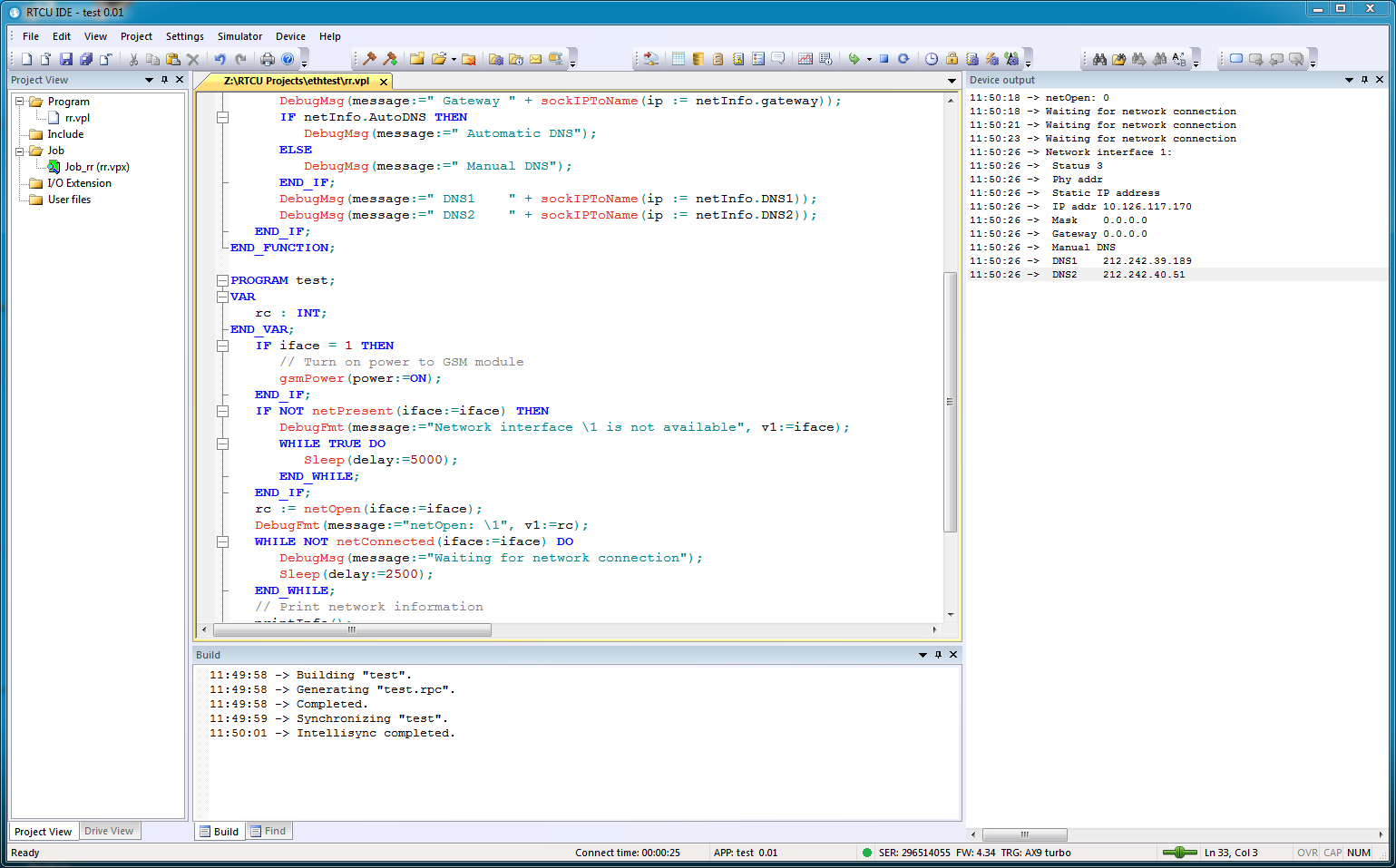
Left image is the generel IDE functions and right
image is the Simulator functionality.
(Click on the images above to view a
high-resolution picture)
Above you will see examples of the RTCU-IDE
Development Environment. From this integrated environment, all steps in
an development cycle for an application can be executed.
The Online Help system of the RTCU-IDE program can be
accessed
here (please note that the formatting of the text may be
incorrect due to the conversion to HTML).
Some of the features of the RTCU-IDE environment are listed below :
-
Complete development environment. No need for other
programs, all tasks are performed from within the RTCU-IDE Environment.
Build-in Project Control, which handles all aspects of a project, like
source code, jobs - and voice messages.
-
Remote access to RTCU Units. It is possible to connect to
remote RTCU units, just using a simple modem connected to the PC where the
RTCU-IDE program is running. This enables you to quickly download/upgrade
existing installations, without even visiting them !
-
Complete simulation of all functions in the RTCU unit. All
in- and outputs, Phone, SMS, Realtime watch etc, can be simulated, inputs
can be controlled, status of all outputs can be seen, full interaction with
the Phone functions, simulated send and receive of SMS messages etc. This
enables you to write and develop an application, and on top of that,
simulate the complete application, before it is transferred to an RTCU unit.
The transfer of a project to a RTCU unit, can be done either using a
programming cable, or wireless either using a standard telephone modem that
will connect to the RTCU unit thru it's built-in GSM phone or via Internet
using GPRS.
-
Syntax highlighting editor. All keywords, comments,
variables etc, are automatically shown in different colours. This greatly
enhances the readability of a program.
-
Built-in help. Help on all built-in functions, syntax of the
programming language etc are available online from within the RTCU-IDE
Environment.
-
Fly-over help. All built-in functions and functionblocks will
display their help when the mouse is hovering above one of the built-in
functions/functionblocks.
-
Codegenerator for VPL language and built-in functions.
Helps the developer remember not so often used functions etc.
-
Built-in uploading function. With a single click with the
mouse, all components of an application, jobs, text- and voice messages, can
be transferred to an RTCU unit.
System requirements:
The newest version of the RTCU-IDE program can be
downloaded free from here.
On this
page, you will find various application and program examples
|