Connect metering equipment
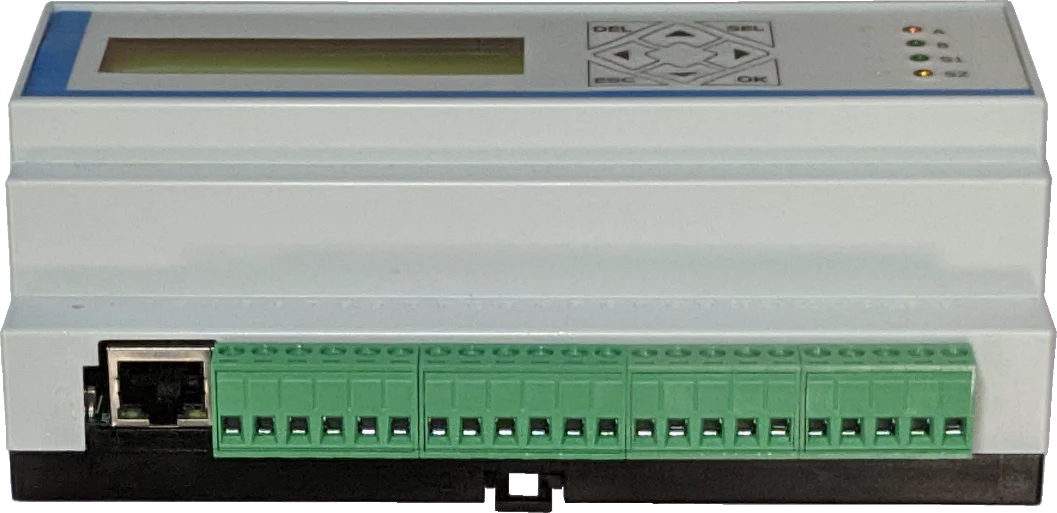
Use wired M-Bus, Ethernet, serial ports and 1-Wire to connect field equipment. Wireless M-Bus is an option on the equipped V2 variant.

Metering connections.
Local control.
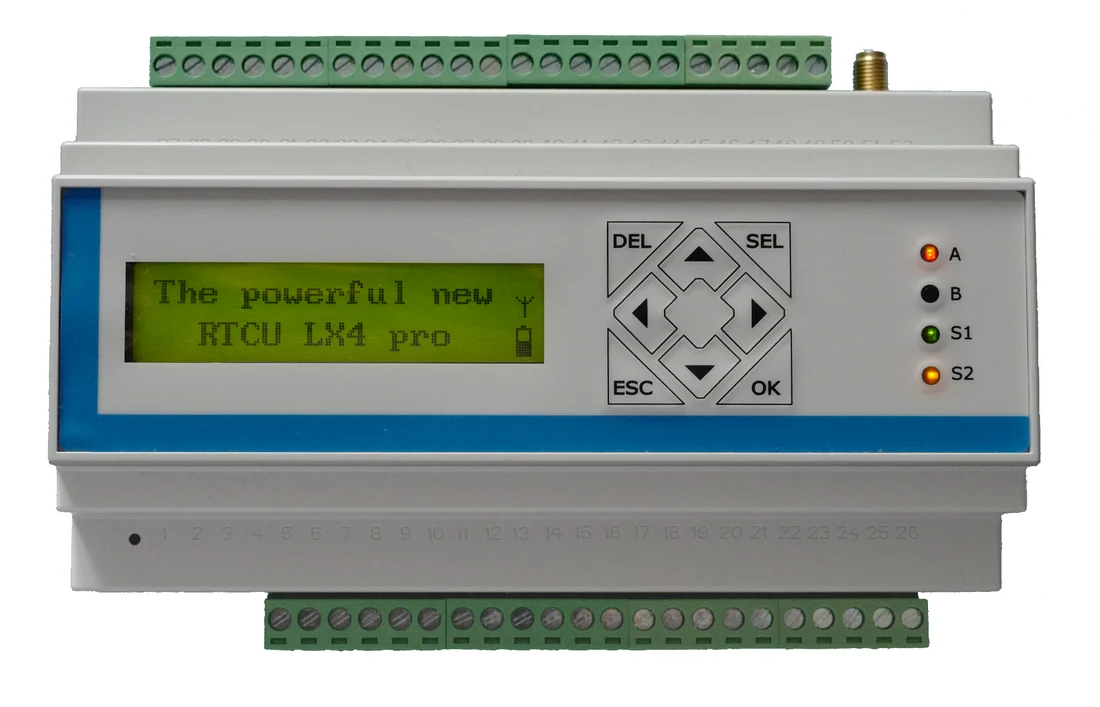
An industrial M2M/IoT gateway for field I/O and metering applications, combining wired M-Bus, Ethernet, serial interfaces and a local display with NX32L execution.
Bring metering, industrial I/O and application logic together in a DIN-rail device. A local graphical display and keypad support interaction at the installation.
Use wired M-Bus, Ethernet, serial ports and 1-Wire to connect field equipment. Wireless M-Bus is an option on the equipped V2 variant.
Configure digital and analog I/O for the installation. Analog outputs and compliant S0 operation have specific supply requirements, recorded in the specifications below.
Use the graphical LCD and keypad for application interaction. Match generation-specific hardware configuration and power-loss behavior to the installation.
This page focuses on RTCU LX4 pro V2. The original-generation manual remains available separately for maintaining existing RT-LX4P installations.
The specifications on this page cover the V2 generation. The V2 data sheet identifies RT-LX4P2 and the Wireless M-Bus-equipped RT-LX4P2WM1 variant.
For an existing original-generation RT-LX4P installation, use the separately labelled technical manual V1.03. Do not apply V2-specific details to a different hardware generation.
| Hardware generation | V2; use the separate original-generation manual for RT-LX4P |
|---|---|
| Architecture | NX32L (NX32 for Linux) |
| Main processor | 32-bit ARM Cortex-A7, up to 1 GHz |
| Co-processor | 32-bit Cortex-M4 for power management |
| RAM | 128 MByte |
| Local display | 144 × 32 pixel graphical LCD |
| Keypad | 8 keys |
| Removable storage | SD card |
| Cellular | Worldwide LTE Cat. 4 |
|---|---|
| Ethernet | 10/100 Mbps LAN |
| Serial interfaces | 1 × RS232; 2 × RS485 |
| Wired M-Bus | Up to 20 slave devices |
| Wireless M-Bus | Optional OMS Wireless M-Bus on the equipped V2 variant |
| Peripheral bus | 1-Wire |
| USB service / programming | Mini USB-B for programming and RACP communication |
| Digital inputs | 8; up to 4 configurable as IEC62053-31 Class A S0 inputs |
|---|---|
| S0 conditions | S0 mode needs application configuration and at least 16 VDC supply for standard compliance |
| Digital outputs | 8 solid-state outputs; separately supplied |
| Analog inputs | 4; selectable 0–10 V / 0–20 mA, 12-bit conversion |
| Analog outputs | 2; selectable 0–10 V / 0–20 mA, 10-bit conversion |
| Analog-output supply | At least 12 VDC for specified operation; see manual for load limits |
| Expansion | Standard Modbus I/O modules |
| Supply voltage | 8–36 VDC |
|---|---|
| Internal battery | 2 Ah nominal Li-Ion with intelligent charging |
| Backup behavior | Power-down on external supply loss by default; configurable. Digital and analog outputs are disabled on battery. |
| Mounting & enclosure | 9-module M36 DIN-rail enclosure; IP20 |
| Dimensions | W 157 × H 86 × D 58 mm, excluding SMA and screw terminals |
| Weight | Approximately 430 g without accessories |
| Operating temperature | −30 to +60 °C; battery charging has separate limits |
Choose the configuration for your installation and include the required region, interfaces and quantity in your enquiry.
Request a quote for this modelRemote M2M Studio access adds network connectivity and the RTCU Communication Hub. The Deployment Server is optional for managed remote updates.
Download the manufacturer documents. Match their model and generation to the device when planning or maintaining an installation.
Development tools & resourcesDiscuss your interfaces, installation and development requirements with our team.