M2M Studio online help
Project workflow, development tools and integrated technical documentation.
The tools and technical references behind your RTCU application. Develop in M2M Studio, work with VPL and investigate execution on real hardware.
RTCU M2M Studio brings project management, VPL source editing, simulation and device communication into one workspace.
Use the built-in Simulator to validate application logic on your PC. Connect to your device locally or through the RTCU Communication Hub as your project moves into the field.
Coming soon: Source Code Debugger integrated with RTCU M2M Studio and included in the M2M Studio package.
Explore M2M Studio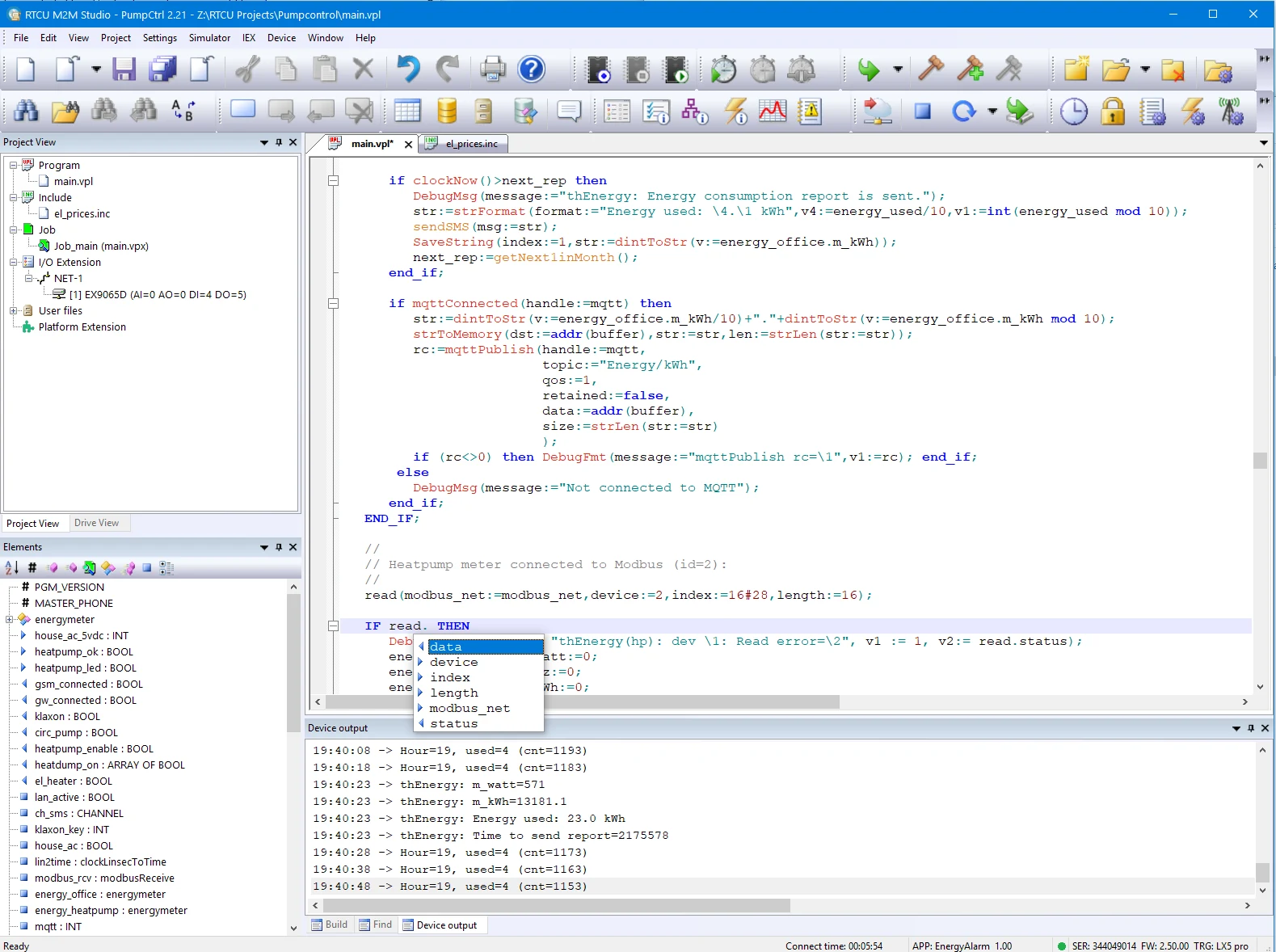
Organize projects, source code and assets.
Validate application logic on your PC.
Coming soon: Source Code Debugger in M2M Studio.
Use IEX to investigate execution on physical NX32L hardware.
Transfer locally or through RTCU infrastructure.
Investigate applications running on physical NX32L-based devices. IEX provides live variable views and edits, thread control, call-stack inspection and coded breakpoints through its Insight! tools.
Start with the Studio help for your development workflow, then explore the language, device APIs and published application guidance.
Project workflow, development tools and integrated technical documentation.
Browse the RTCU online reference for language and device API documentation. Check each topic against your target device and runtime.
Explore published RTCU implementation guidance and examples. Check the document date and hardware scope for your project.
Browse software, firmware and release histories. Download packages directly and view the RTCU Software & Firmware License PDF. Browse all downloads.
The development tools are part of the wider RTCU M2M Platform. Use its communication and deployment infrastructure to work with installed devices.
Connect field devices and backend systems over bi-directional TCP/IP, including devices behind NAT or using dynamic IP addresses.
Manage firmware, application and configuration updates through the Communication Hub, with background transfer and recovery after interruption.
Working on an established installation? Choose tools that support the installed hardware and runtime. Classic resources remain accessible alongside M2M Studio.
Find the classic development environment and its release history for existing RTCU projects.
The Windows-based Emulator supports X32 and NX32 systems. It does not support NX32L-based devices; use the IEX pathway above for NX32L hardware.
Explore the purpose, architecture scope and documentation of the RTCU tools and middleware.
Develop RTCU applications in M2M Studio with project management, VPL editing, PC simulation, device communication and optional IEX hardware debugging.
Component detailsInvestigate RTCU applications on physical NX32L devices using IEX, Insight!, live variable views, thread control, call stacks and coded breakpoints.
Component detailsFind the classic RTCU Integrated Development Environment, its user manual, USB programming drivers and complete release history.
Component detailsFind the classic RTCU Emulator for Windows, its X32/NX32 architecture scope, data sheet, user manual, downloads and release history.
Component detailsConnect RTCU devices and backend applications through TCP/IP middleware with TLS, certificate management, monitoring and integration resources.
Component detailsMaintain remote RTCU firmware, applications and files through the Communication Hub with background transfer, upgrade policies and backend integration.
Component detailsExplore the published RTCU M2M Platform SDK for advanced C/Linux development, platform extensions, reference documentation and version-specific requirements.
Component detailsIntegrate RTCU communication with your application using the CSP DLL, local or Hub connections, background transfers and x86/x64 examples.
Component detailsManage RTCU application and firmware transfers locally or remotely with the standalone Programming Tool, its user guide and matching USB drivers.
Component detailsExplore the relationship between RTCU hardware, runtime, development and deployment.
Explore the RTCU Platform