One platform.
From code to field.
A connected ecosystem for building, running and maintaining industrial and automotive IoT applications.
See how it fits togetherEach part has a purpose.
Together, a platform.
Develop your application in M2M Studio. Run it on RTCU hardware. Use the Communication Hub to connect field devices to your backend, and the Deployment Server to manage updates.
- M2M Studio + IEXDevelop & investigate
- RTCU devicesApplication logic & I/O
- Communication HubRoute field communication
- Your backendApplication infrastructure
A workspace that
understands RTCU.
RTCU M2M Studio brings project management, VPL source editing, simulation and device communication into one environment.
Use the built-in Simulator for PC-based logic validation. With RTCU IEX, inspect execution on physical NX32L devices, including variables, threads, call stacks and coded breakpoints.
Coming soon: Source Code Debugger integrated with RTCU M2M Studio and included in the M2M Studio package.
Explore M2M Studio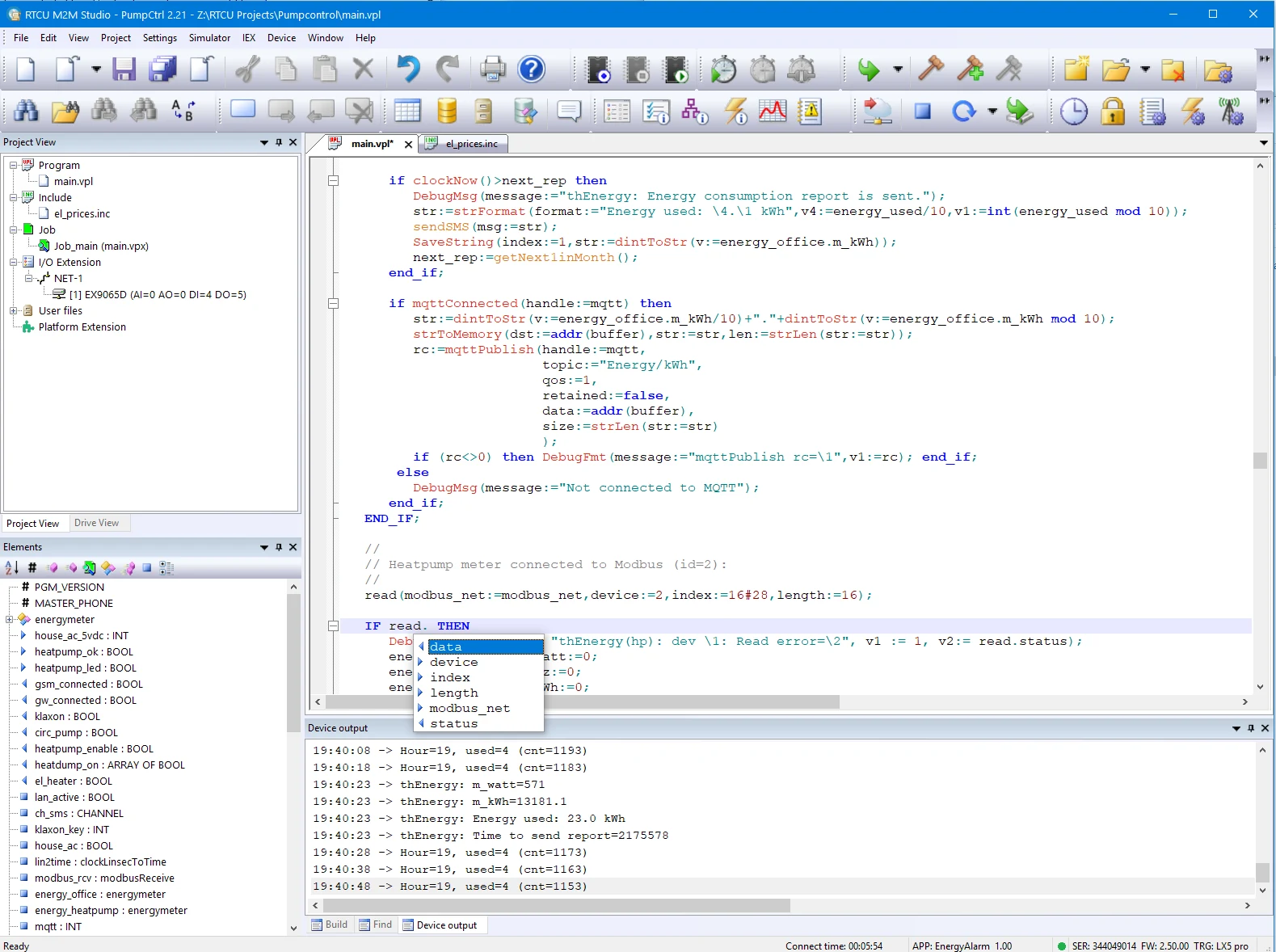
Create
Organize projects, source code and assets.
Simulate
Validate application logic on your PC.
Debug
Coming soon: Source Code Debugger in M2M Studio.
Investigate
Use IEX to investigate execution on physical NX32L hardware.
Deploy
Transfer locally or through RTCU infrastructure.
Working with an existing installation? Classic RTCU IDE resources remain available.
Your software.
Connected to the real world.
RTCU devices bring application execution, physical I/O and communication interfaces together.
The NX32L execution architecture is based on Linux. The RTCU platform provides VPL application programming and APIs for device resources, with the specific interfaces determined by your hardware.
Build on the work you already have.
Choose hardware around your application’s I/O, communication and installation requirements. When updating an existing installation, check the target device’s architecture, interfaces and firmware requirements against its own technical documentation.
Read the RTCU M2M Platform data sheet
Explore RTCU hardwareReach the field.
Connect your systems.
The RTCU Communication Hub provides bi-directional TCP/IP communication between installed RTCU devices and backend infrastructure, including devices behind NAT or using dynamic IP addresses.
Communication Hub detailsA communication backbone
Route application data and support development and deployment services.
Your infrastructure
Install the Hub on-premises or in the cloud.
Certificate management
TLS-secured communication with X.509 certificate management.
Keep the application
moving forward.
The RTCU Deployment Server manages firmware, applications and configuration files across field installations.
Working with the Communication Hub, it supports background transfers and resuming interrupted updates. Upgrade policies determine when software is transferred and activated.
Deployment Server detailsThe technical perspective.
Start with the platform data sheet, then explore the full developer reference.
Browse online documentationThe tools behind
the platform.
Explore the development, communication and maintenance tools, their supported architectures and technical documentation.
RTCU M2M Studio
Bring your RTCU project, VPL source, simulation and device communication into one development workspace.
Explore componentRTCU IEX
Investigate application execution on the physical device, from development-time debugging to analysis of field issues.
Explore componentClassic RTCU IDE
Keep the classic RTCU development environment and its technical references within reach for existing projects.
Explore componentRTCU Emulator
Test and debug applications for supported X32 and NX32 systems in a Windows-based environment without a physical RTCU device.
Explore componentRTCU Communication Hub
A communication backbone between RTCU devices in the field and your application infrastructure.
Explore componentRTCU Deployment Server
Manage software and file updates across field installations through the RTCU Communication Hub.
Explore componentRTCU M2M Platform SDK
Extend the RTCU platform at Linux system level when your application needs deeper customization.
Explore componentRTCU Communication Support Package
Add RTCU device communication and maintenance functions to your own application.
Explore componentRTCU Programming Tool
Perform essential device maintenance without the full RTCU development environment.
Explore componentStart with your application.
We’ll help you explore the right hardware and tools for your requirements.