
Classic development tools
Classic RTCU IDE
Keep the classic RTCU development environment and its technical references within reach for existing projects.
The working environment
See the workspace.
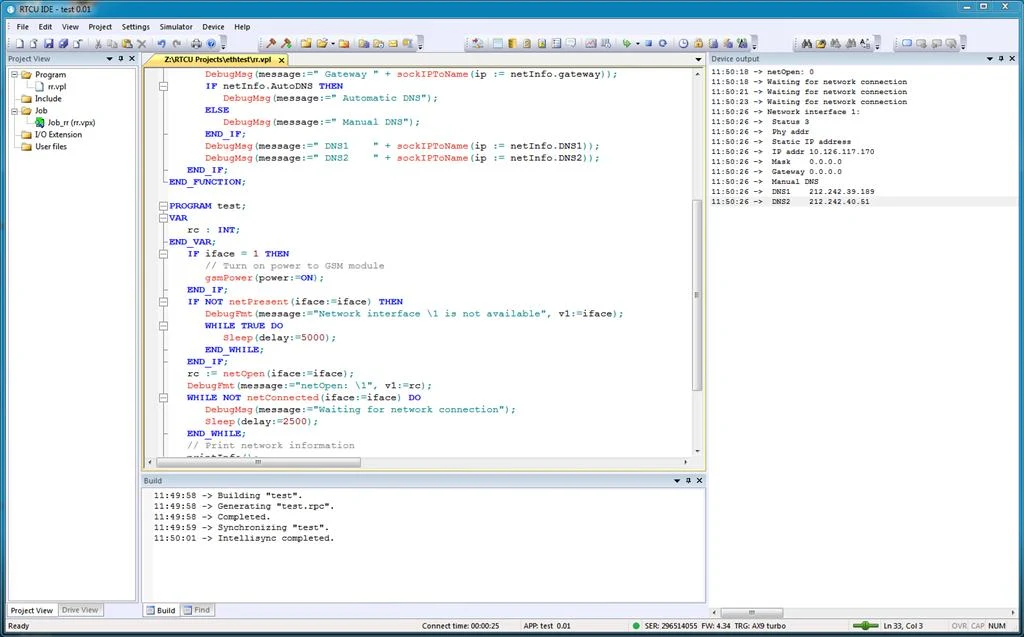
01 / Classic RTCU IDE
The classic integrated environment
Develop and maintain RTCU applications with the original integrated workflow.
- Edit source code and consult the included help.
- Generate code and work with device emulation.
- Communicate with devices and deploy to pilot installations.
- Use RTCU IEX for supported NX32L hardware debugging through the IDE integration.
02 / Classic RTCU IDE
Keep the installation requirements visible
For USB programming-port support, install the separate RTCU programming-port driver package. Choose the 32-bit or 64-bit package for your Windows architecture.
Consult the RTCU IDE user manual and release history when maintaining an installation. The classic Emulator supports X32 and NX32 systems; it does not provide NX32L device emulation.
Technical resources
Documentation & downloads
Use the component documentation and published versions for your installation.
Software license
Download packages directly from the catalogue. Read the Software & Firmware License (PDF).