RTCU M2M Studio
Bring your RTCU project, VPL source, simulation and device communication into one development workspace.
See the workspace.
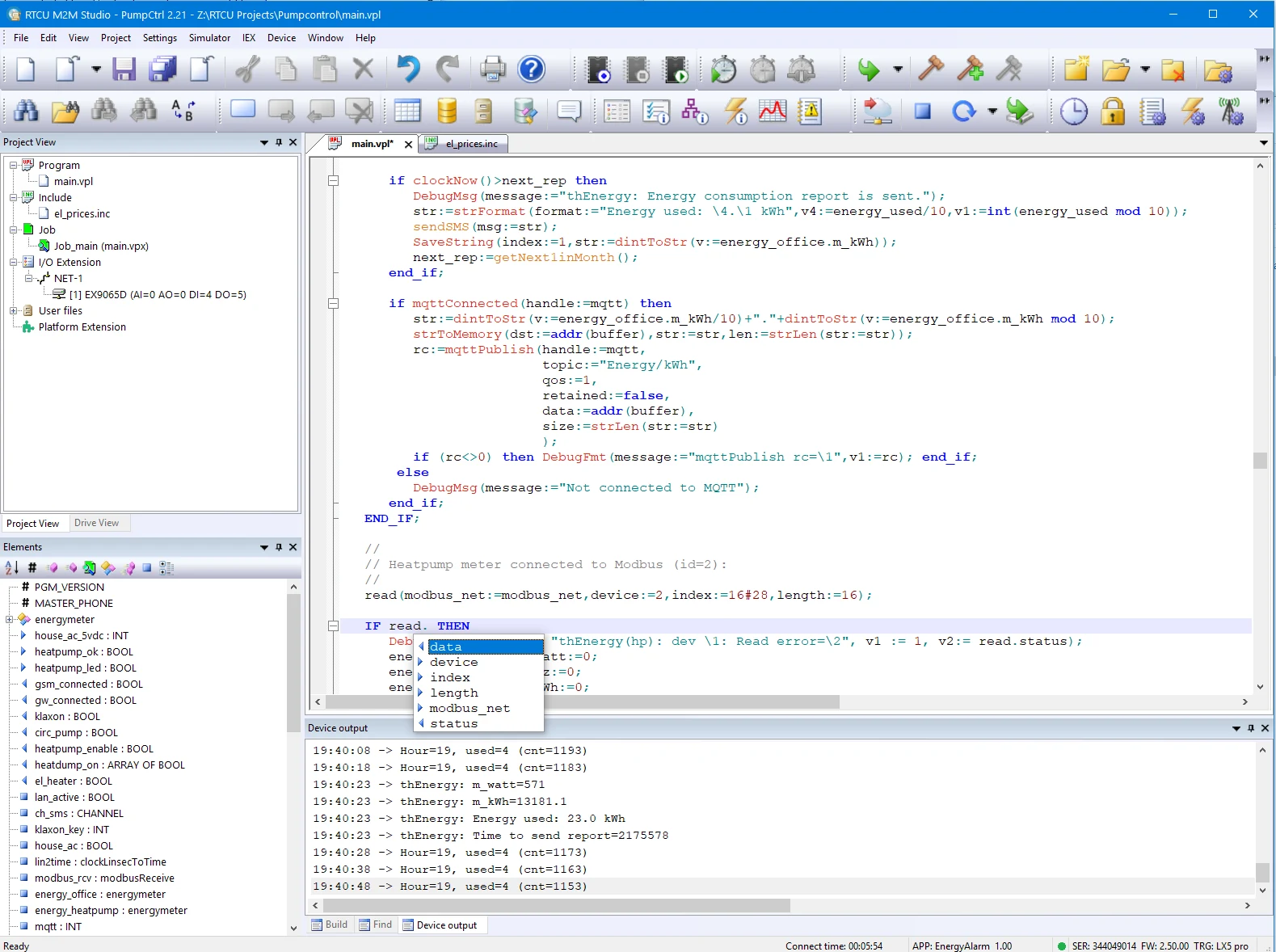
A workspace for the full project
M2M Studio brings source code, execution jobs and file assets together with project control, device communication and firmware management.
- Edit VPL with syntax highlighting and automatic parameter suggestions.
- Navigate project variables, constants and I/O through the element overview.
- Use the VPL Code Generator when implementing language constructs.
- Find technical documentation in the installation and the searchable online help.
Simulate logic. Investigate hardware.
Use the built-in Simulator for PC-based application validation. Add RTCU IEX when you need to investigate a running application on physical NX32L hardware.
- Use Insight! to view and edit global variables without recompiling the application.
- Inspect thread status and call stacks, and work with coded breakpoints through IEX.
Source Code Debugger
Coming soon
Source Code Debugger integrated with RTCU M2M Studio and included in the M2M Studio package.
Follow your VPL application through its source code and inspect program state while execution is paused. The upcoming integrated debugger will bring these capabilities into your M2M Studio workflow:
- Debug devices through local or remote connections.
- Step Into, Step Over and Step Out of VPL functions.
- Set source breakpoints for an individual thread or all threads.
- Inspect local variables, parameters, global variables and watches.
- Explore arrays, structures and block members.
- Follow thread states and navigate the call stack.
- Edit supported scalar values while paused and see changed values highlighted.
Work locally or in the field
Connect through a local programming cable or use the RTCU Communication Hub for remote device communication. The wider platform also provides the Deployment Server for remote maintenance of firmware, applications and configuration files.
Documentation & downloads
Use the component documentation and published versions for your installation.
Download packages directly from the catalogue. Read the Software & Firmware License (PDF).